Click anywhere within this unedited transcript to jump directly to that part of the training.
Introduction to the Publishing Decision Tree
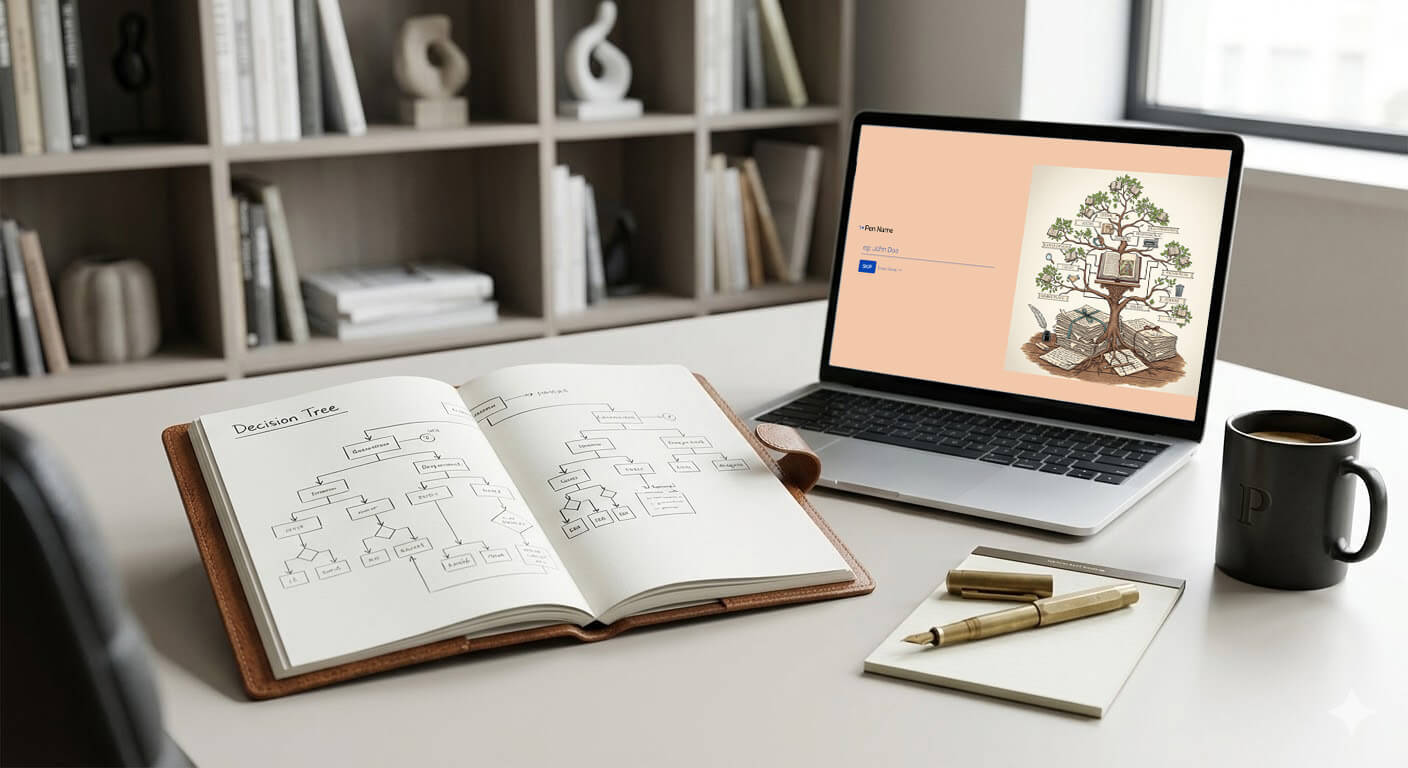
Erin Moore: Hello authors. I am Erin Moore. I’m joined today by Blaine Moore. And today we have not so much a training, as we’re showing off a new tool that we have been developing. We did not think it was going to be as involved as it has been. So we’re unveiling it today. There are still a few glitches that we’re working through.
And, the overall layout may change a little bit as we develop it even further. So don’t be surprised if you come to use this at some point in the future and it looks a little different. Right now we’re calling it the Publishing Decision Tree. I don’t know if that will continue to be the name, but it is for now.
This stemmed from a couple of weeks ago during a hot seat session. We had a few people who are new to publishing and who were asking, “What should we do next? What should I do next?” And then what should I do after… they wanted a kind of a list of what to do and it would be great if we could just publish an article that said, “Here’s all the steps!” for successful publishing. But that it isn’t as simple as that because there are so many different possibilities, especially in terms of what an author’s overall goals are for their writing and for their publishing.
And so, I started thinking, “Well, how can we provide a way for authors to get a checklist of things to do but more custom to what they need in their own journeys?”
That is the birth of this tool here, the Publishing Decision Tree. Blaine was just saying this is like, training number 620-something just on Apex Authors. So there’s a ton of material out there. It would take you a whole lifetime to navigate through the training that everyone in the publishing world has put together on self-publishing. But you don’t have that time.
And so I’m hoping that this tool is going to streamline things for you a little bit and help you make your decisions. And there are links to many of our trainings already in this product. But we will even add more as we refine it. So, we’re going to take a look at this tool now.
This will not take an hour, so today’s session may be a little shorter than typical. If you have any questions about it or anything, we can do a little bit of a Q and A after.
Starting the Form
Erin: Alright. So first, the tool is going to ask you for your pen name.
So that’s the name you plan to publish under. You can use your own name it. This is whatever you put in here. And in fact, you don’t even have to answer this question. The reason we have the pen name and then the book name is so that for your own records so that you’ll know which book you were thinking about when you went through the decision tree, because you might go through this for every single book.
You might do it a couple times through some of your books.
So, I’m just going to put my name in here and press enter and I’ll put New Book as the title. Okay.
Goals and Audience Choices
Erin: This is where we have our first decision, your entrepreneurial goals. And this is going to dictate a lot of what happens through the questions here and also what the results looks like.
If you’re writing a book and you want to publish it and you would like people to read it, but you don’t want to put in effort to selling the book, you don’t want to do marketing or any of that stuff, you just enjoy writing and you want other people to have the option to read your work, you would say that you are a Hobbyist.
If you want to sell the book that you are writing right now and figure out the rest later, you just want to, you’re going to put this book out, you’re going to do a little work to sell this book to people, but you don’t want to think about the long term and maybe you don’t want to put in a huge amount of effort into all the marketing needs right now, you’re going to choose Tester.
By the way, this terminology may change. That’s not a very good representation of a person selling their first book, so that terminology will change.
Or if you know that writing and selling books is something you want to pursue long term and you really want to make a career out of this and you’re willing to dedicate time and energy into all those steps, then you would choose Career Author.
So I’m going to just choose career author for now.
Then you’ll have a question about whether you’re writing for children or adolescents, or if you’re writing for teens or adults. And those are broken down that way because of the needs in a children, or a book for middle grade readers, as opposed to books for teens and adults.
I will go ahead and choose children and/or adolescents for right now.
Formats, Illustrations, Covers
Erin: Okay, the next question is whether you want to go print or digital. And, as a reminder, most children’s books are more likely to sell in print. So I will choose, for now, I’m going to choose ebook and so on. This one, you can choose multiple, and you’ll see it says down here, choose as many as you like.
So I’ll choose paperback and I’ll press okay.
And do we need illustrations? Well, sure. My book is for children. My, the children will want some illustrations in their book. I’m going to say yes, I do need illustrations.
And I already see that; I think it skipped a question, so we’ll have to look at that one.
This is about getting a cover. It should have had a question further about illustration, so already we found another bug. But we will take a look at that right after we get off of here. So this will give us many ways to obtain a cover. All books need covers. Because I’m working on an illustrated children’s book, my illustrator may offer to design my cover. And so I am going to select that.
But let’s say my illustrator, maybe I don’t feel confident in their ability to design a cover. I can choose one of these other options. I can hire a cover designer. Of course this will give me my best cover, but it also will be the most expensive. I don’t know that I’m going to find too many pre-made book covers in the children’s arena.
So I will skip that. Maybe I’ll modify a template myself, although obviously if I’m planning to sell this book, that’s probably not the best option, but I’ll explore both of those options. So I’m going to click both of them.
Platforms and Promotion Inputs
Erin: Which print on demand platform will I use? Of course, we typically do recommend that authors work on KDP first before moving to other platforms simply because it’s the easiest platform to use. It’s free; they don’t charge anything for modifications or anything of that nature. So I’ll click on that.
But I also know that Ingram Spark has better distribution and I want to distribute this book. So I’ll click on Ingram Spark as well. And I’ll press enter.
And now I have said I want a career as an author. Like, I really want to build up my career. I want everybody to know who I am. I want to sell books for the long term. So a book promotion question has come up in which I can select some various formats that I would like to pursue.
With my publishing, and you will notice that we do suggest starting to begin marketing your book well before it is ready to publish. That is what this here is telling us.
Okay, so I am going to think about these and which channels am I going to use? I know I want an author website, and I know I want that because I am writing for children who may not be able to use social media. In fact, they probably won’t be able to use social media.
I also; they’re not likely to get a newsletter. Now I can keep in touch with their parents that way, so I will probably use a newsletter. But I also know I want some sort of platform that kids can actually visit.
And will I get reviews? Well, I know reviews are important to obtaining for longer term sales. So yes, I’m going to use a book review platform to find reviewers for my book. And I will not at this time use a service to promote my book to third party subscribers and we will submit.
And that’s all the questions I have to answer.
Results Checklist Walkthrough
Erin: When you’re done answering questions, you will see a results page and this will tell us the steps we still need to go through. So editing is the first step, and I didn’t ask any questions about editing or I didn’t answer any questions about editing, but that doesn’t mean I can skip the editing steps. So if you are beyond that, let’s say you’ve already done your editing and you may even already have your illustrations.
You can just ignore those parts of the checklist. But if you haven’t, and this tool assumes you’ve written your story and that’s it. So this will tell us that we should self edit our manuscript, find a critique partner, and find a professional editor if it’s in my budget.
The reason it’s saying all of three of these things is because I chose that I am really trying to become a professional career author. And so if it’s in my budget, editing is a good place to put some investment.
Now you’ll notice that each of these is an arrow, so if I click on the arrow, it will pull down quite a lot of information about self-editing. And since we have done training on an article on self-editing you can find those resources right here. And you can close it.
You can click up here to expand everything, and it will give you, everything all at once if you want. You can collapse them all, but you can also open one at a time.
So this will give you some information, not a lot of information here, but about finding a critique partner, a professional editor. This one has quite a few resources in it for finding a professional editor.
And then you’ll see the very next thing is the promotion plan. And that is because, again, I chose that I wanted to really invest in my career as an author.
And if you’re going to do that, creating a plan for promoting your book early on is a really good idea if you have not already started to promote yourself as an author and your book. So creating a plan, writing a blurb for your sales page. Now if you click in here, you will say, you will see that we do actually suggest writing your blurb now, even though we haven’t done our cover or anything like that yet.
But sometimes writing a draft of your book blurb, even before it’s fully edited, can help you narrow in on exactly what you want this book to accomplish and can help you with aspects of your editing; it can help you as you go through the process of finding reviews.
Many of the things you need to accomplish before you press “launch that book” can be helped by having a clear understanding of what your blurb might look like. You’ll probably edit it a few times before you actually publish. But having it upfront is a great idea.
Speaking of which, making a plan for obtaining book reviews, many of the book review programs out there do require or suggest that you start looking for reviewers a couple of months before you plan to publish your book. And so you want to get started on that right away. In here we do have links to two different training or a training in an article that we did on two different kinds of review programs or platforms, I guess is a better way to say that. So, you can get some good information there and get started making your plan for obtaining your book reviews.
And this may not pop up if you choose that you’re just a hobbyist because maybe you don’t need reviews on your book. If you simply want people to read your book, regardless of how many people will actually buy it, if you just want it available, you don’t have to worry so much about reviews. And then we go into author website; newsletter management.
These are all things you’ll notice that I said yes, I would like a website. Yes, I will consider using a newsletter management software. And so that has shown up here for us. In addition, I’ve put in here a checklist item for “will you create a reader magnet”, or also known as a signup incentive to incentivize people to join your list.
Get a cover includes things like, if you haven’t done so yet, research cover design trends, talk to your illustrator about a cover design. This is here because I said, “Oh, I’m working with an illustrator. Maybe I’ll have them do the cover design.” Sketch out a simple design just to wrap your head around what it’s going to look like.
And then, you may not need to do that if you’re actually working with an illustrator or a cover designer. But I also said I would consider using a template. And so I put in here an a suggestion to sketch out a design so that it will make it easier for me to look through templates and find one that meets my needs.
Again, we don’t actually recommend using a template and designing your own cover, especially if you’re really serious about being an author, because cover design is a unique skillset. If you’re a graphic designer by trade, then maybe you can pull it off, especially with a little bit of research.
But if you’re new to design, this is not one I would design my own cover. If you were, however, a hobbyist; if you really didn’t plan to earn money from your writing, then maybe modifying a template would be just fine.
And then it does have a section here that talks about formatting your ebook files and formatting your print files and then uploading your book files to your chosen publishing platform. Adding your books also includes information about the metadata that goes along with that. So, metadata is the information that the system uses to present your book to the appropriate people.
So when they search for a book using certain search terms the system will compare those search terms to your keywords and also to your categories, and they will deliver as much as possible books that are more likely to a appeal based on the search criteria. So that’s what the metadata is all about.
And so that’s in there. So you get a checklist. Now, as I mentioned before there was something wonky about the illustrations in this one, in this particular test…
Blaine Moore: I fixed that, so it’ll work the next time you go through.
Erin: Okay. Blaine already fixed that one. So this, and unfortunately that’s the way this has been going, is we find a mistake, then we have to figure out why it’s a mistake and we fixed it.
Printing, Saving, Bookmarking
Erin: But let me show you what you can do. This information will stay on the system for 30 days. But you probably don’t want to have to find it again and come back to it so you can actually print it. So just press CTRL-P or CMD-P. Here we go.
And you can either print it to a device, or you can print it as a PDF and it will reformat it a bit. So instead of having the arrows, you have check boxes. And you can print this out, or you can just save it as a PDF and refer to it again in the future. And it will look like this.
You can actually print it as with all the details as well. So just regular print, just set from your browser as you normally would. This time it has all the information. It’s a lot more pages obviously, but if you are new to publishing and you really are going to need to go back and review all the details, you may want the larger version.
By the way, I do suggest that if you are new to this and you’re going to want to use the resources in here, that you’ll want to save it as a PDF. Those should still be clickable links inside the PDF, but of course, from paper they won’t help you.
You can always search. I did my best to use the actual titles of the trainings and articles. So if you find yourself in a bind, you can simply go into the Apex Authors system and search for the the article and you should be able to find it that way as well. But, so that in a nutshell is the tool, and it took like almost no time to show it off.
Which I did think might be the case. It took a lot longer to build it guys.
But does anybody have any questions about the tool before I get out of here?
Blaine: A couple of things that I’ll add on is you can bookmark the page, so you’ll notice up at the top it has a little token at the end of the URL, so that, as Erin said, these results will stay for 30 days. And you can also go back and see previous ones.
If you come on and you click on the previous results box over on the left side there, then that’ll list your 20 most recent editions that you’ve put it through. So if you’re doing it for a few different books, then you can save those just as a quick way of accessing the information again.
Erin: Yeah. So I would suggest that you don’t call them “new book”. Call them something unique so that if you’re using…
Blaine: Well that would be the title of the book.
Erin: Yeah. You’d want it to be the title of the book so that if you’re doing it with multiple books, you’ll know which book it is. It does keep the date for you.
Obviously. Now these are all tests that we’ve done and it’s of no use to us whatsoever. But presumably you’re not going to do five of these in a day. You’ll have the date. So if it is the same book, for example, you can look back and see, okay, well this is the most recent, this is the one I did before this.
So if your decisions change, because sometimes we don’t know what we want until we get a little further into things. So if you make some changes in your preferences, you can go in and do a new questionnaire. And you can get a new checklist based on your new preferences for your publishing.
The one caveat I will say is that… Oh yes, and Blaine was talking about bookmarking. So, you all know how to bookmark from your browser, I presume, but, so this does create a unique spot for your results. So if you bookmark it, you can come back to the same results without having to, go through the questions again or anything like that.
Limits, Access, and Future Plans
Erin: Now, I will say that this is intended for people who are newer at this. There are so many combinations of possible ways to publish and to promote your book. There’s endless possibilities. So this is not going to incorporate all of those, there, it doesn’t talk anything about, distributing the book yourself, like through direct sales.
It doesn’t talk about direct sales. That’s a more advanced topic. It doesn’t really talk about joining author swap programs and things like that. It doesn’t talk about that kind of stuff because those are really more advanced tools. That is for you to know. But it’s still very useful for your basics and you can always add extra things onto your checklist as you go.
How do we access it? Is this live now, Blaine?
Blaine: It is. I have not added a link. I will be putting it on the homepage in our Getting Started area, and into the navigation, and we’ll have it under author software. But right now, you can access it with the link there. And I think Edwin may have logged in after I’d posted that when we got started, so I just put it in the chat box again.
But yeah, we designed this to be easy and quick. So obviously it took a few more minutes because Erin was explaining everything as she went through, but it does include some info and once you’ve used it a time or two, you can just use your keyboard shortcuts, just hit A or B, et cetera, and hit enter as you go through.
So if you’re just trying to get a list of “here’s what I need to do for this next book launch”, or for getting this book out the door, then it takes a minute or so you can have it set up and then it’s going to give you a customized checklist.
And the list that we’re seeing on the screen here isn’t everything that’s available for the checklist. It is dynamic and based on the answers that you have.
So we’ve been going in and creating a list of all of the different items that we think it’s worth leading people through and that you’ll need to go through based on the answers. And that’s going to change based on whether you’re a hobbyist or career or what kind of book that you’re creating for what it’s going to show you.
Erin: And you may find that we fill out some of these items a little bit more over time. Just know that it’s not set in stone as is. There will be some changes in the future as we see them becoming necessary.
If this is a tool that you guys use, let us know. Because there are other similar tools that could be useful. For example, we could break out a book promotion plan, and have one that’s specific for that and give a little bit more detail about how to do specific things in it. So we’re not going to do it tomorrow because this was a process, the software, we’ve used this software before, but for very simple things.
And so, it’s been a lot of kind of learning curve to figure out how to do it for something that’s this, involved.
Blaine: So yeah, this was originally going to be a weekly newsletter and then we were like, well, this is going to be an 8,000 word document if we put everything in there. Nobody wants to read that. And most of it wouldn’t be relevant for people.
So we said, “Oh, well, let’s make this. This would be a really neat tool.” And then fast forward, what’s it been? Three weeks I think Erin’s been working on this?
Erin: Yeah, and there’s been a lot of changes along the way based on what ends up being possible with the software and what doesn’t.
Blaine: But yeah, we do plan, if it’s being used, we do plan to keep it up to date and add more details as we go along. Now that we have the process in place, and if people do find it useful, then I could definitely see, as Erin was saying, of creating some other similar checklist generators for specific topics.
Like it would be nice; this is obviously mostly geared towards fiction writing.
It would be nice to have a nonfiction one. As Erin said, we could do one specifically on book promotion tactics that could go into a lot more detail that would be appropriate. So we could certainly build those going forward.
Erin: Yeah, yeah, I didn’t mention that. But yes, this, when I was creating this tool, I really had fiction in mind.
I know some of you do write a lot of nonfiction. If this tool works for you guys, do let us know if a nonfiction version would be useful. There’s just a few differences that I would make for a nonfiction tool.
How It Was Built and Bug Reports
Erin: Yeah, Edwin, we used Fluent Forms to create this tool.
Blaine: Yep. So Fluent Forms is a WordPress plugin, so the actual survey itself that you go through, it’s called a Conversational Form where you answer one question at a time, and there’s a feature in there where , depending on previous answers, you can selectively show or hide later questions.
And then the checklist generation itself, that’s all custom code that I created, so that wouldn’t be available for anywhere else, but we basically set it up where we can use the same sorts of rules, depending on the answers to your questions, to decide whether to show a checklist item or not.
And then it just gives us a place where we can fill out the information for it.
Erin: And if you’re using it and you do find a bug, please let us know. For example, if illustrations just doesn’t show up, please let us know.
Blaine: Yeah, that one’s fixed right now. There’s one circumstance I have not had a chance to troubleshoot since Erin told me about it right before lunch.
Erin: But there are a lot of different possible scenarios that you could come up with. So it’s really difficult to test every single one of them.
Freedom Flow. Edwin’s saying Freedom Flow. What is that?
Blaine: I assume he meant Fluent Forms, is what I was saying.
Erin: Yeah, so Fluent Forms provides, well, Fluent provid a, a number of different WordPress plugins, I guess we’ll call ’em.
And Forms is one of them. And you can actually; you can Google them, you’ll see videos and stuff like that. But they’re typical use for much, shorter, simpler things. So, what we’ve done required a lot of finagling.
Blaine: We have created a few of our calculators that we’ve created previously are made with Fluent Forms where we have the pro version, so we can do more complicated things.
Erin: And surveys. We’ve done some surveys with Fluent Forms, which is one of the things that’s really developed for is surveys.
We’ve only taken up a little over half an hour, so, I know this isn’t an ask us anything session, but we’re more than happy to take your questions, whether it be about this tool or the information in it, or just other things.
We’re happy to answer those as well.
Blaine: Yep. And if anybody is interested in the Fluent brand of products, we did talk about that back in December.
Erin: Oh yeah.
Blaine: So we have a whole training on some of the things that they offer.
Erin: That’s right. We did talk about it. Yeah.
Quizzes and Kids Engagement
Blaine: But yeah, tthat would be pretty cool though if you had a, you had a website, even if it was for say, children’s or whatever, I could see creating some kind of form that did something similar where it gave, little results.
Like you could set up a quiz for, “Which of my woodland forest characters are you?” And have it be like, where the… was it Cambridge Analytica or whoever it was that created all those forms to spy on people, over the last, 10, 15 years? You could make a fun one that kids could come in and, and get a little badge saying which character they most are like.
Yeah, yeah.
Erin: Stuff like that. Yeah. Actually, kids love those things.
Even middle grade age, middle schoolers, love those things. They do them all the time. They’ll just ask each other, “Are you more like a…”, I don’t know, I don’t have too good ideas, but, are you more like this or this?
Blaine: “Would you rather…?” Things like that.
Erin: Yeah. Would you rather, basically they’re all versions of, would you rather. They, I don’t know if any of you know of Go Noodle. It started out as like videos to play in classrooms. If the kids needed a little break, they’re like two to four minute videos and they have a lot of, are you more like this or that in a videos in them.
Social Media for Childrens Books
Erin: ” Building further tools for topics like marketing would be excellent.” Yeah. Well, we would love to do that. “Why you left out the social media option and the marketing piece, wondering why…?”
Blaine: We do have social media in there and I think just with the path Erin had gone through, we just didn’t have something for that particular one.
But if you go in and fill it out, it will come up with different options for social media, newsletters, things of that sort.
Erin: So I specifically didn’t select social media. There certainly is call for using social media for children’s children’s books. You just have to be really careful who you’re aiming at.
You’re aiming it at parents, but more than that, you’re aiming at librarians, teachers, those types of people. So yes, you can use social media to target adults who purchase or recommend children’s books. But it isn’t a path I chose in my branch. It was one of the options when we looked at the book promotion plan, and I chose not to. So I was thinking more, you really can’t reach kids, especially young kids, very well through social media. If you target their parents, then their parents may or may not share with the kids, but there’s that filter of targeting the parents first.
Kids are really not supposed to have social media accounts until they reach at least age 13, because why? Because of COPPA. Trying to reach a five-year-old on social media is probably not the best option, to be honest. You probably won’t get a whole lot of traction through newsletters either, although it doesn’t hurt to still have one.
But I would say you wouldn’t need to necessarily have a weekly newsletter if your audience is children. You might want something that goes up once a month or a couple times a year. Plus then when a new book comes out and when a new book is coming out, you can put together a package that’s really appealing to the parent. And that can help to boost the sale of that book.
But, and the idea that you need to publish a newsletter every week for when the children are little is probably not necessary unless; the exception to that would be if you just love creating and you can create activities for the kids to do on a weekly basis. If you can really create something that’s going to be engaging, then you send it out more often.
I would really look for reviews. And that’s part of the tool. I have a review making; a plan for obtaining reviews. I have a website because I do think that that is a useful tool for pretty much any author because your potential audience is going to say, “Who is this person?” Especially if it’s for kids.
Not as much; like, I don’t care quite as much who’s writing the books that I’m reading, but I’m more interested in who’s writing the books that my kids are reading, especially if it’s not something… The libraries we go to, they curate the books, so they have kind of done some of that research.
But if I’m going to buy a book for my kid, I want to know something about who wrote them. So there we go.
Blogging for Authors
Erin: “Would it be good to put a blog on the author website if you are writing for adults?” This is a tough question. I feel like 10 years ago, I would’ve said absolutely. Today, even adults attention spans aren’t as big.
So it depends on, I would say, who your audience is. If you’re writing nonfiction for example, and your audience is really interested in the subject matter of your books, then they would probably be interested in the subject matter of your blog posts.
If your audience is maybe not as intellectually involved in the subject matter…
May I, and I hate to say this, but maybe consider video or at least an audio component to what’s on your site, in terms of a blog. Now there are plenty of authors who also talk about publishing, and they will put articles about that on their website, and that’s useful, but that’s not the same audience.
Blaine: Yeah, I would not recommend that for your genre fiction because it’s going to attract the wrong people to your books, and that’s just not particularly helpful. If you really want to talk about author stuff, create an author specific website that’s not tied directly to your genre fiction.
But whether you put a blog on your website or not, I think depends on two main factors.
The first is, do you want to be updating regularly about whatever topics you choose are going to be relevant for your audience? Because if you’re not using the blog regularly, then it’s probably not worth spending the time to add that. You could instead just put things out through your newsletter or use your social media.
And if someone goes to your site and sees, “oh, they haven’t updated in three years,” then they’re not going to be too impressed.
But if they do see that there’s regular updates, and that’s something that you think you’ll want to keep doing, then that would be a good opportunity to do it.
And as Erin was saying, if you have topics that your audience would be interested in, that’s the other deciding factor.
If you’re just going to be talking about what you made for dinner, or just constantly promoting your books, but it’s not of any interest to the people, then that’s not going to be bringing in any traffic.
It doesn’t have to necessarily be just about your story world, although that can be good if you have fantasy, for example, and you want to talk about different aspects of how your magic works, or the geography, or character studies; things like that. Then that could certainly work.
But if you are instead going to talk about things that your audience is interested in, so in the fantasy aspect, you could be talking about what the latest fantasy or science fiction novels and movies that have come out. TV shows that you’ve watched that are relevant to it. That can bring people in. As long as it’s attracting the right crowd.
And as Erin said, nonfiction is a lot easier because you can talk directly about whatever topic it is that your book’s about, or your business or services that you provide are about, and that’s a way of getting it in.
I think search engine optimization isn’t quite as important now as it used to be, because so much search is being streamlined by AI. But if you don’t mind having AI scraping your website, that can be a way to be found organically. Because a lot of people now, instead of going to Google, they’re going to Chat GPT or to Perplexity, or even if they are going to Google, it’s still giving them AI generated results at the top, and that’s what most people are looking at anyway.
It is good if you can get your sources cited as a resource for those. But again, it’s not worth it if you’re not going to be keeping it up regularly.
And Erin’s comment about doing audio or video is also a great way of doing it.
If you have some friends you want to start a podcast or you want to do regular videos and that’s something you think you’d enjoy, that can be a great way of bringing in an audience and it’s a new way of finding those readers as well. So I would recommend it there if you, if that was something you wanted to do, but it is extra work.
Interactive Kids Websites
Erin: Now for kids specifically, I’d only do probably, like, I could see scenarios where blog posts would be useful. For example, if you’re if you have some nonfiction compliments to your books that kids might be interested in, yeah, those would be useful. But don’t have ’em just be words.
You need to make them usable for kids. So there would need to be some imagery in there, not like in a book. You don’t need to have it all.
Image first, words second, in terms of the presentation. But you would want to make it appealing and short. You wouldn’t want to have long, long posts because the kids would not be interested.
And it would depend on someone pointing ’em out, possibly even reading them to them. But you could build a brand that way.
But in terms of posting audio or video content. Now, of course, that’s not as simple as posting written word because you need a media player to do that, but I think if you do feel that you’re going to be bringing kids to your site, audio and video… video especially is probably at this point going to be key to building that brand where those kids are going to want to read all your books, right?
The other thing Blaine was talking earlier about, using a form builder to do quick questionnaire type of thing. Those types of interactive things will also appeal to kids. So it doesn’t have to be all say video, although I do think if you can put some video com content on that, that is geared toward kids.
I do think they could; they would enjoy that and that would help boost your brand. But also just some interactive content questions that they can submit with a really simple response or something would be really fun. Just things they can share with their friends would be really great.
So there’s certainly sites out there. If you want to get really into it, go look for Harry Potter stuff. Like, oh my God, they have a whole world. I think they do ask that you get your parents’ approval before you look at this site, that kind of thing.
The Magic Tree house: I recall having a site with some playful, interesting stuff on it. I’m sure there are many, many more as well. Now, keep in mind. Those are both geared toward slightly older kids. Those two sites are not for really young because Magic Tree House, the kids start reading that around nine, 10 ish, I would say.
Do you think? Or maybe even a little earlier?
Blaine: That’d probably be a little earlier.
Erin: The Harry Potter books are a little bit later. Honestly, they’re not the simplest reads ever. But those are some places you can look at. Check out your favorite children’s book author. I mean, just check out some established series and see what they have on their website. And you probably won’t build a site exactly like those.
Blaine: I just loaded up the Harry Potter website. The very first thing at the top of the page? “Play the Wizarding World Pub Quiz!”
Erin: Yeah. Quizzes, that kind of thing. Huh? I don’t see the, I think the Magic Tree House has a different website than their standard site.
Blaine: I posted a link to that.
Erin: I know, but all I’m seeing is books.
Blaine: Oh. If you click on it, I did see one that had like games and things like that.
It just wasn’t on the front page. If you go to the Tree House link at the top. Then it has that…
Erin: Tree house link…
Erin: I don’t know. Anyway, it’s there somewhere, basically is what we’re getting at. Some interactive stuff, some sort of symbol.
And game building is probably beyond most of us. That’s fine.
Although teachers have found ways to do it with just Google Slides, so like escape room type things with Google Slides. So, you can find, especially during the pandemic, some teachers got really creative with things like that so you can easily find stuff like that.
It doesn’t have to be super complicated, but a little interactivity is great.
“Curious what you think is the best content to put on a children’s author website.”
So, yeah, like we were talking about, I would try to put some interactive content. I would make sure the colors are appealing to young kids and that fit your brand. So it should kind of be relevant to the colors and things you use on your books.
And some form of imagery and illustrations. If you have main characters in a series in your book, I would try to get some of those illustrations on your website. So this is Magic Treehouse. This is Jack and is it Annie?
Blaine: I don’t remember.
Erin: It’s been so long since I read one of these books, but we’ll go see a play about it in a few weeks.
Blaine: Yeah. But one of the things I like about this is it has your activities, videos, a mini magazine, so you can go in and see some fun stuff to do with it. But another thing that they do really well is they have a page for educators where they have resources and activities and classroom adventures; things of that sort.
So there’s different ways of promoting their books and getting buy-in from the educators in order to get them in front of the kids. So I think that, taking a look at people who are already doing things: look and see. What are they doing and how could I replicate that or adjust that for my particular audience?
So I was mentioning the Harry Potter site hike a pub quiz. You could go in if you had a WordPress site, put up Fluent Forms; create your own quiz. It could be a trivia quiz, it could be a, “which character am I?” Or “what’s your favorite color?” Like that kind of stuff, depending on how old the audience is.
And kids like to fiddle around with that and compare results.
Our daughter has made a bunch of Google Slides escape rooms where you click on different things and it sends you to different slides, and then you have to try and find your way out of out of a maze or solve a mystery of some sort.
You could build something like that without having a lot of technical knowledge, just a little bit of time and patience to get used to the tool.
Webcomics
Erin: Yeah, so another thing I’ll mention is that, web comics are still popular amongst at least some crowds. So you could add a web comic to your website.
It doesn’t even necessarily have to be a new story. If you’re writing, say, a chapter book with maybe zero, or only a ,few illustrations; there are AI tools that are capable now of doing a panel. And you could, and this is what I might do if I were you, I would not do it all at once, but maybe do a panel now and then. Upload another panel in a week or two and then, because that way you have something for them to come back to.
You could use Nano Banana or something like that to… “comicize?“. I don’t know. Your story… And so then they have another reason to engage with your story.
And hey, you never know if it depends on how long it is, but you know, maybe six months from now the story’s done and you can say, ” Hey, I’m going to publish this now.” Alexander, I have done a couple panels, but I honestly don’t know where they are. I have done a couple panels with AI, but, and I think I use them as, maybe graphics in one of our trainings or something, but honestly, I don’t think I would be able to find them right now.
I’m pretty sure I use Nano Banana to do them. Here’s what I’ll say, is that I was able to create like five panels pretty well, and then it started spitting out junk and I had to kinda wait and come back and do it again later.
So it isn’t something where you’re going to create an entire book in one sitting. That’s just not going to happen.
Also I recommend thinking through what you want the images to look like ahead of time. And kind of be pretty specific with your prompting because otherwise what happened to me is nothing changed in the panel. Basically, they look the same panel over and over again.
But also if you have to sit there and redo a particular panel several times, it’s going to use up all your processing and then you’ll have to wait and wait and wait. So think through it ahead of time if you’re going to do that so that you really like, maybe even sketch it out. I don’t know, make sure you prompt well, if you’re going to do that.
But if it’s a skill that you enjoy and you like doing, you could put it up there and I would treat it as just like another way to interact with your characters and your story. Don’t look it at as this is going to be a comic book someday, because you don’t really know what you’re going to want to do with it, but for now, it can bring people to your website or have them returning.
Another thing I did want to say is if you’re going to do quizzes, anything like that for younger kids, see if you can have an audio option because some of them may not be quite ready to read. But they loved to hear it spoken out. So, if that’s an option, depending on what software you’re using, if that’s an option, that would be great.
And , you could just record it yourself. Okay. So that’s some stuff.
Blocking AI Scrapers
Erin: “Can yoprotectck your illustrations from AI scraping on your website? Are there any Wonder Press plugins that can do that?”
Blaine: So there are different ways of managing that. Probably the easiest way is if you’re using CloudFlare, they have an option where you can block AI from accessing your site at all.
And that would probably be the easiest. You don’t have to install anything specific onto your site itself. It all happens before the traffic even gets to your site. And that way there’s no server resources. People can’t download the images with bots. It takes a little bit of technical knowledge to set that up, but you don’t have to have a WordPress site.
It could be a static site, it could be anything you wanted, and you would just have to tell CloudFlare, “Don’t allow any of these AI bots to access my site.”
But in general, I wouldn’t overly stress about it anyway. I think that that ship has sailed at this point, and I think that…
More than having to worry about the someone stealing my work. Especially if I’m, if for like art, I’m probably not doing my own physical artwork anyway. It’s probably AI generated to begin with, but I think it’s a bigger problem of suffering from obscurity than it is from having somebody use my data for training their own generative AI systems.
Erin: Yeah, I would kind of agree with that. I would also say that if generative AI is scraping your images on your site, it’s not the result of a user. Using that data isn’t going to look like your data, your images, anyway. So, could there be AI that is scraping in order specifically to use your images in a pirating sense?
Of course there could be, but so could any person. So, yes, there are tools that can help you with that if that is something you really want to do. But again, I wouldn’t worry too much about it. I do think your bigger problem is going to be, “Can I bring people to my site?”
Wrap Up and Next Steps
Erin: All right. Any other questions out there? It is two o’clock, but we can handle another question or two before logging off. Of course, we do have currently scheduled a Q and A for next week.
Blaine: Yeah, if anybody does have any questions, we can certainly answer them then. And I hope that you do give the Decision Tree a try and let us know what you, and if it’s helpful at all. We put a lot of thought and work into it, especially Erin. She has pretty much driven this project for the last couple of weeks and I think it’s handy. And we do plan to continue to add to it and put more features and more details in as we go along, but it’s certainly at a good point and ready for people to start kicking the tires, as it were.
Erin: Yeah, and let us know if there’s anything that, if a question you think should come up but doesn’t, it tries to go through all the different stages you’ll need to know. One thing you should be aware of though is that with… Some of the choices give you the option of, “do you want to publish this to a marketplace or do you want to publish it to a free online reading platform with the goal of developing an audience?”
But there are some types of books that would not work for that, and so sometimes that will not come up.
Alright, I hope you guys do try it out. I think I don’t see any more questions coming in, so we will sign off, but we will be here next week. Please bring those questions with you.
Also, if anyone has a cover, they want evaluated. If anyone has a blurb they want evaluated. Anything of that nature. If anyone has questions about illustrations, anything like that.
Please feel free to send us some stuff ahead of time and we’ll take a look at it so we can give you a more thorough answer. Also, if you’ve got a book up and you’re wondering, “Hey, does my sales page do me any justice or do I need to make some changes to my sales page?”
Send us a link to your sales page and we will take a look at it.
All righty. Thanks guys. We will see you next week.
AI Transcription provided by Descript.com.
(return to top)
 Discuss This Training
 The Publishing Decision Tree